Your Energy Savings Account
Your LIHEAP for this year has been deposited into a savings account at Ascentra Credit Union in your name. It is not a prepaid card or a voucher. It is a real savings account and the money is yours to use to pay your MidAmerican energy bills. You decide how and when to use it.
On this page
How it works
You can use your Energy Savings Account to pay part or all of your MidAmerican bill.
- Your LIHEAP is already in your Energy Savings Account.
- You choose when and how much to pay towards MidAmerican.
- You can split payments between your Energy Savings Account and the normal way you pay your power bill.
- Your Energy Savings Account can only be used to pay MidAmerican.
This will not affect your other benefits
By law, your LIHEAP benefit does not count as income for other programs, including housing assistance, SNAP, or other public benefits. Being in this study will not affect your housing or any other benefits. If it would help, we can send you a letter that says this — just ask.
Ways to use it
There's no one right way to use it. Three examples:
“I divided it up — about $60 every month from my Energy Savings Account, all year and the rest from my bank account. It just became part of how I pay the power bill.”
“Whenever my bill went over $100, I covered the rest from the Energy Savings Account. That way I always knew what I owed myself, and I had something left in case of a bad month.”
“I held onto it until May when something came up with my car. I was glad I still had it — it kept us from getting shut off.”
Each month, you choose how much of your MidAmerican bill comes from your Energy Savings Account and how much from your regular bank. The mix can change month to month, and your balance only goes down when you use it.
How to check your balance
There are two ways to check your Energy Savings Account balance. You only need one.
Online at Ascentra.org or on the Ascentra app
Shows every deposit and payment, not just the total. You also need this to find your account number before you can pay a bill.
- Online banking: ascentra.org
- Ascentra CU Mobile: iPhone · Android
- Questions about your account: Ascentra at
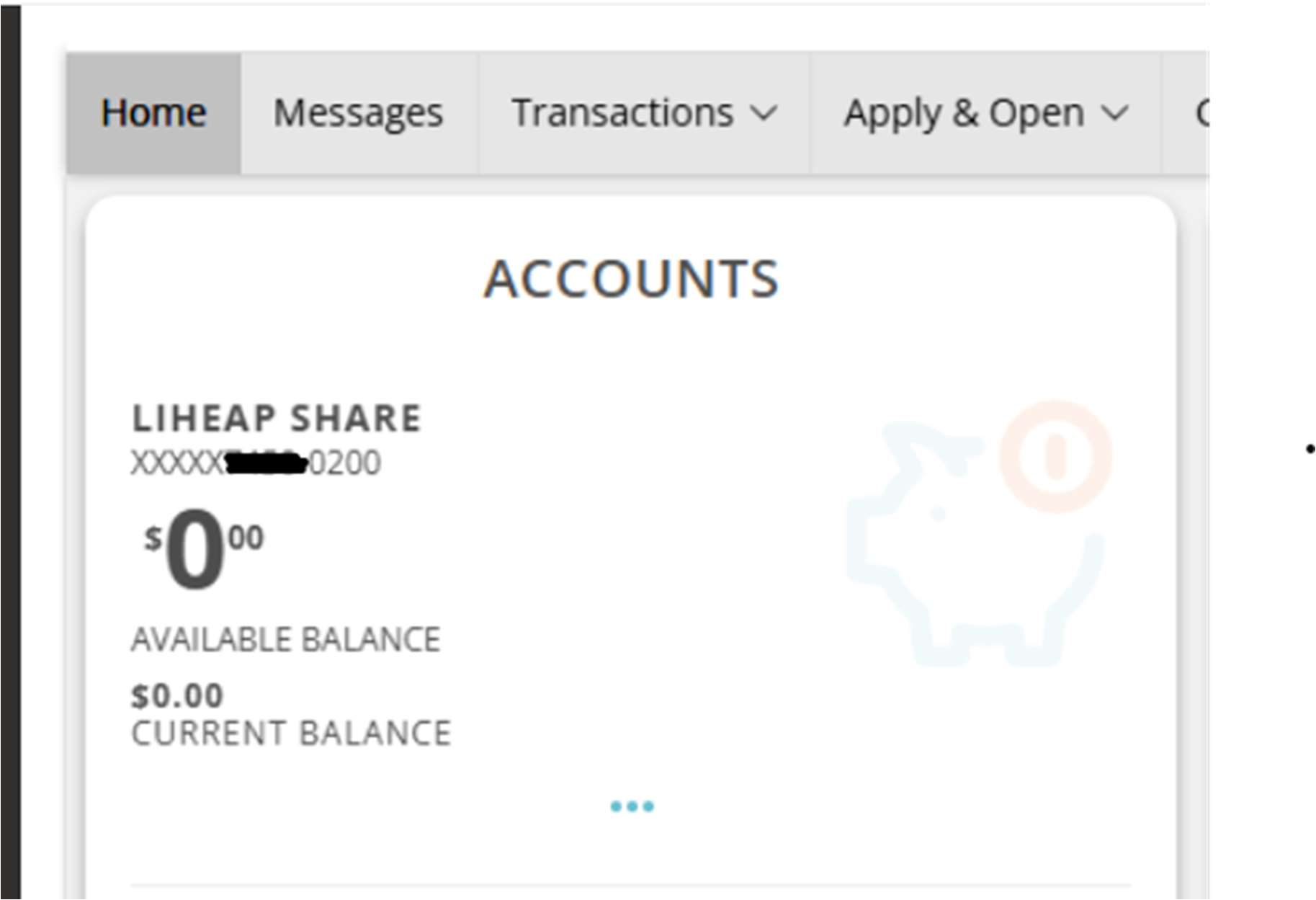
Look for the account named LIHEAP Share.
By text message
Works on any phone that sends texts.
- In Digital Banking, open Settings, then Text Banking Enrollment, and turn it on. It asks for your phone number and to agree to the terms. Once you are enrolled it shows the number to text: 226563.
- Text BAL to 226563. Text from the phone number you enrolled. Standard message rates apply from your carrier.
- Your balance comes back in a few seconds. Text it as often as you like.