Paying your bill
Your Energy Savings Account can only be used at MidAmerican. Besides that, it works like any other bank account. You can use it to pay online, by phone, or in person. You just need your routing number and account number.
On this page
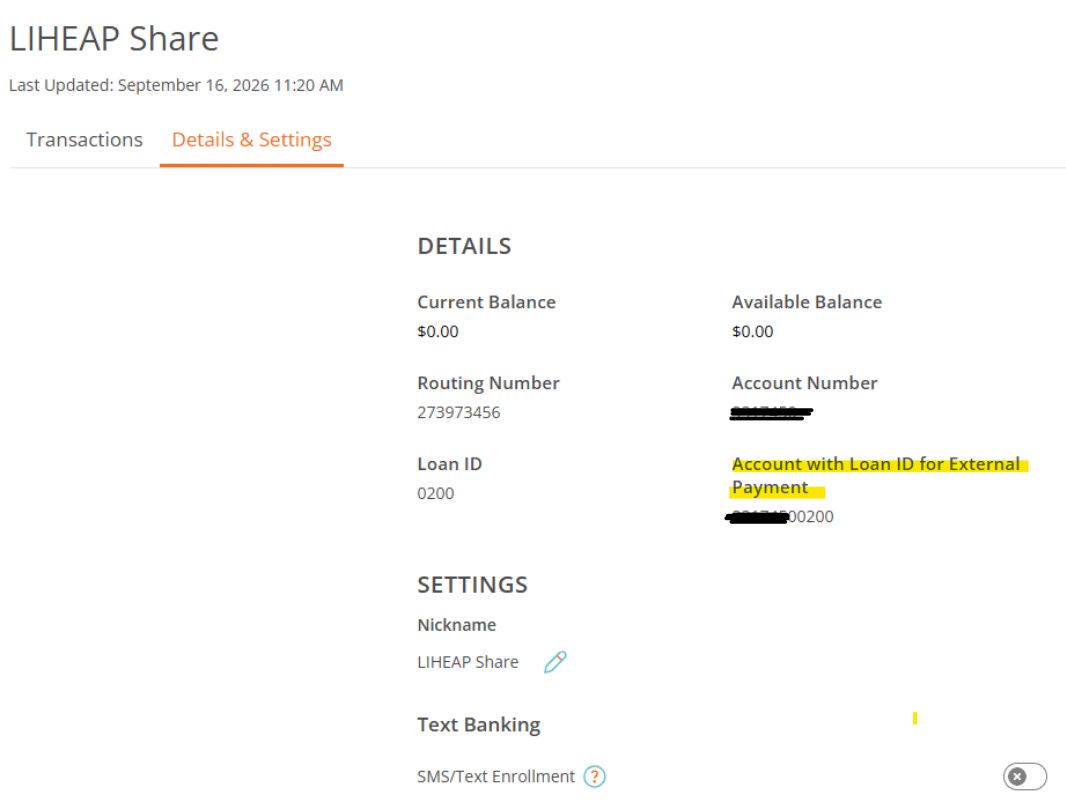
Your account number
Routing number — the same for every Ascentra member:
Account number — Your account number is your Ascentra member number with 0200 added to the end, no spaces. If your account number were 123456, you would give MidAmerican 1234560200. Without the 0200 the payment will fail.
To find it in Ascentra online banking or the Ascentra app: open your LIHEAP Share account, then the Details & Settings tab.
Paying MidAmerican online, step by step
Check your Energy Savings Account balance before making a payment. If you pay more than what's in your account, the payment will fail.
Paying part from each place? Make two separate payments on the same day — one from your Energy Savings Account, one from your own bank.
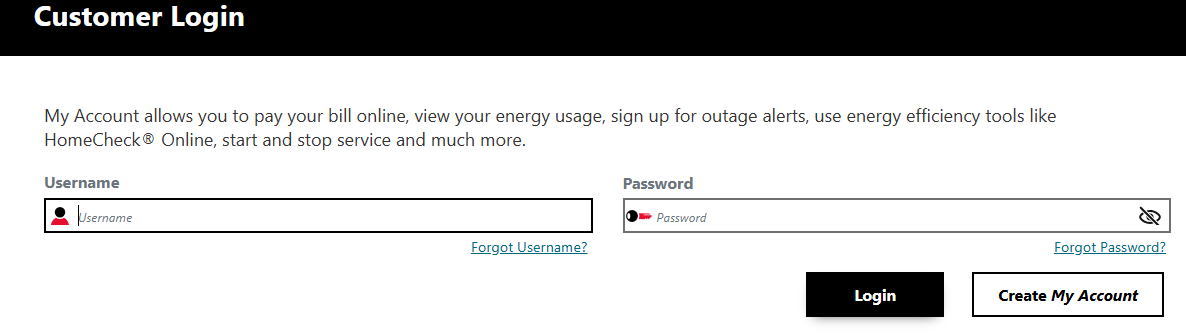
Sign in at midamericanenergy.com
Go to midamericanenergy.com and choose My Account. Sign in with the same account you use to see your bill.
Never signed in before? Choose Create My Account and use the account number printed on your bill.
Open Edit Banking Information
This is where you add a bank account to pay from. You only do this once.
On a computerMy AccountPaymentEdit Banking Information
On a phone or tabletPayment | BillingPaymentEdit Banking Information
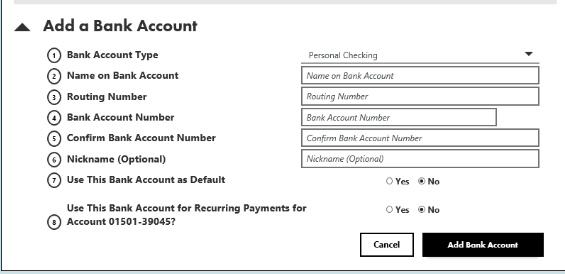
Add your Energy Savings Account
Choose Add a Bank Account and enter your routing number and account number from your Ascentra account.
You only add the account once. Give it a nickname like “Energy Savings” so you never mix it up with your own bank. If it asks for an account type, choose Savings Account.
Pay your bill from it
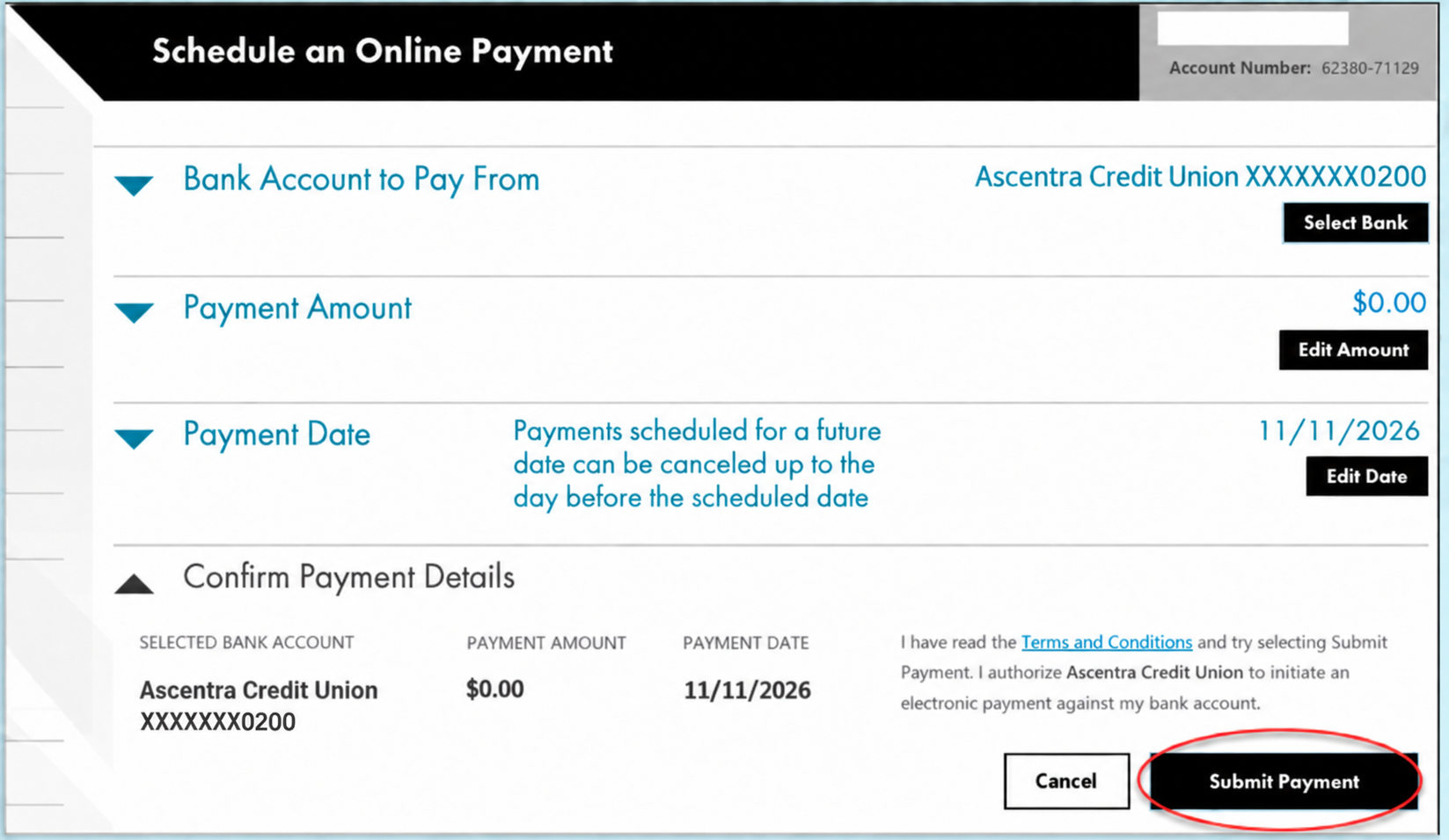
Each time you want to pay, go to Pay by Checking or Savings:
On a computerMy AccountPaymentPay by Checking | Savings
On a phone or tabletPayment | BillingPaymentPay by Checking/Saving
Choose your Energy Savings Account under Bank Account to Pay From, enter the amount, and choose Submit Payment. It does not have to be the whole bill — any amount is fine. After a partial payment, MidAmerican shows your remaining balance.
Paying by phone or in person
You can use your Energy Savings Account when you pay in person or by phone. If you are making multiple payments, you will need to give your account number and say how much of your bill you want to pay.
By phone
Call MidAmerican at and follow the prompts to make a payment. Their payment options page lists every way to pay.
In person
If you pay MidAmerican in person and would like to pay all or part of your bill with your Energy Savings Account, simply bring your routing and account number with you.
The kiosk at Project NOW cannot take your Energy Savings Account
The kiosk accepts cash, a check, or a card only. You can still use it to pay the rest of your bill, but not the part you want to come from your Energy Savings Account. For that, pay online, by phone, or in person at MidAmerican.
If you pay with autopay
Autopay takes your whole bill automatically on the due date, from whichever account you set up with MidAmerican. You can keep it and still use your Energy Savings Account.
If you switch autopay over to your Energy Savings Account, please remember that once your Energy Savings Account balance runs out, your autopay payments will fail.
You can use the funds in your Energy Savings Account. You can pay whatever amount you want it your Energy Savings Account to cover a few days before your due date. On your due date autopay will take the remaining balance from your own bank.